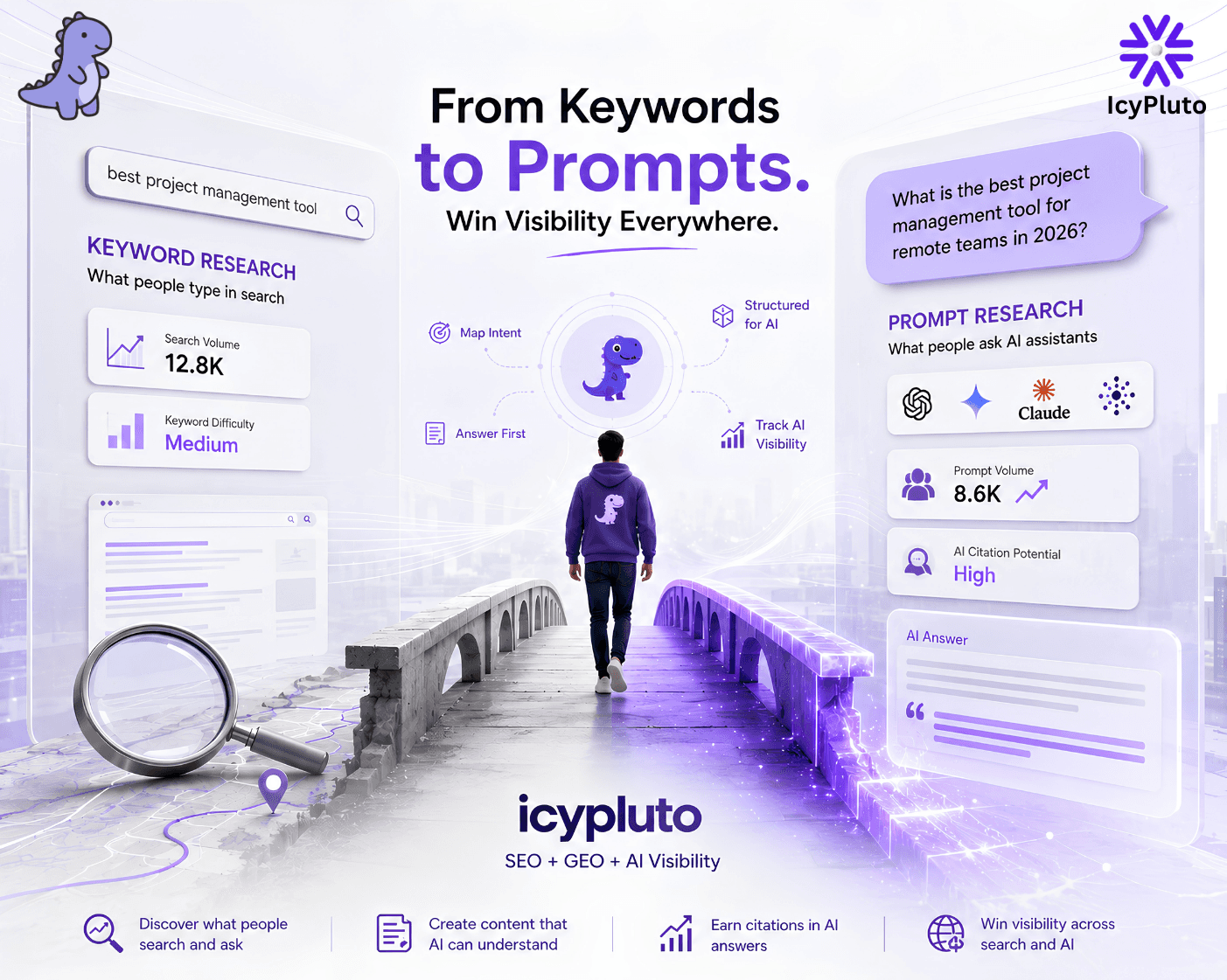
This blog explains how keyword research must now b...
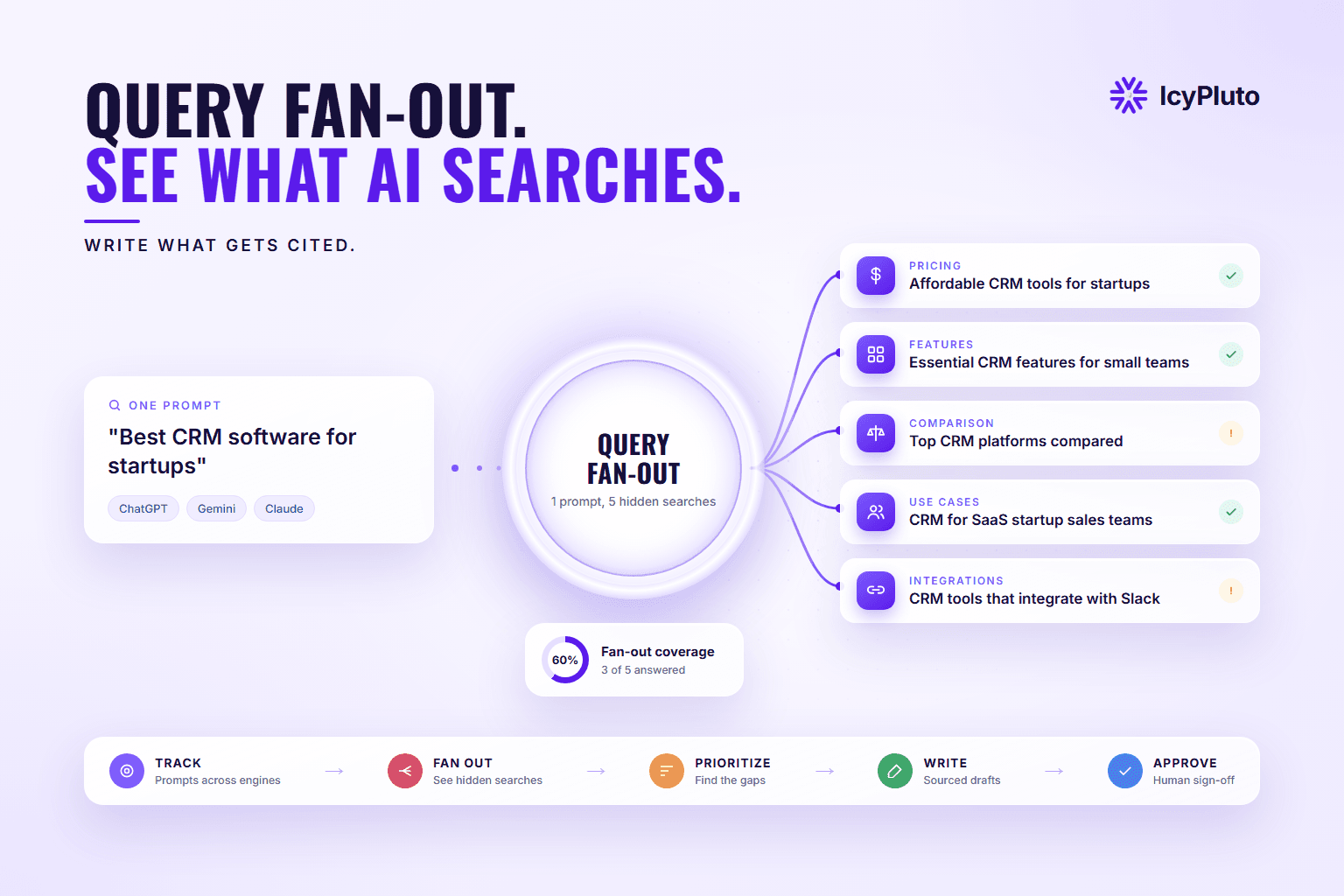
Query fan-out splits one AI prompt into many hidde...
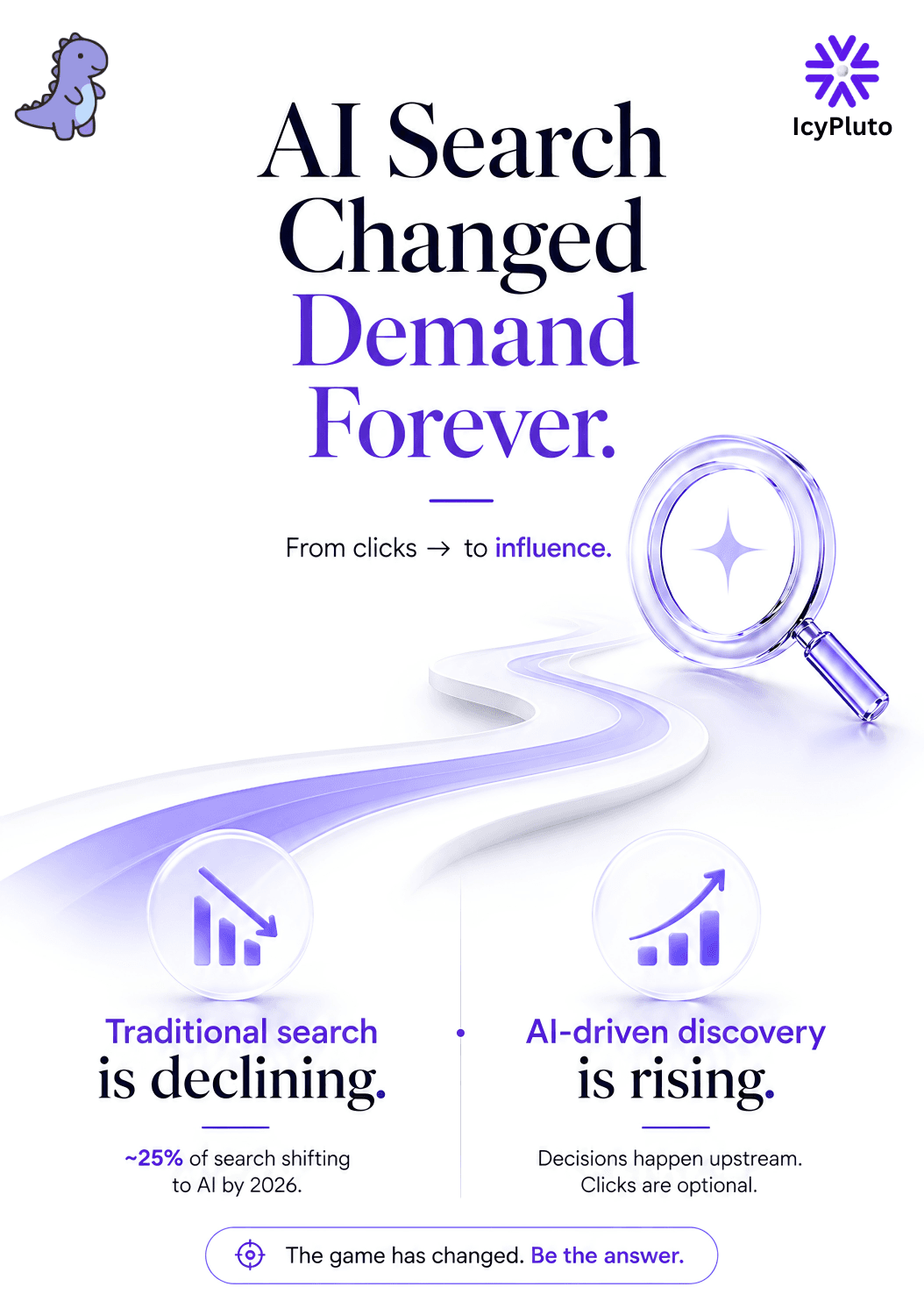
This blog explains why traditional, traffic-focuse...
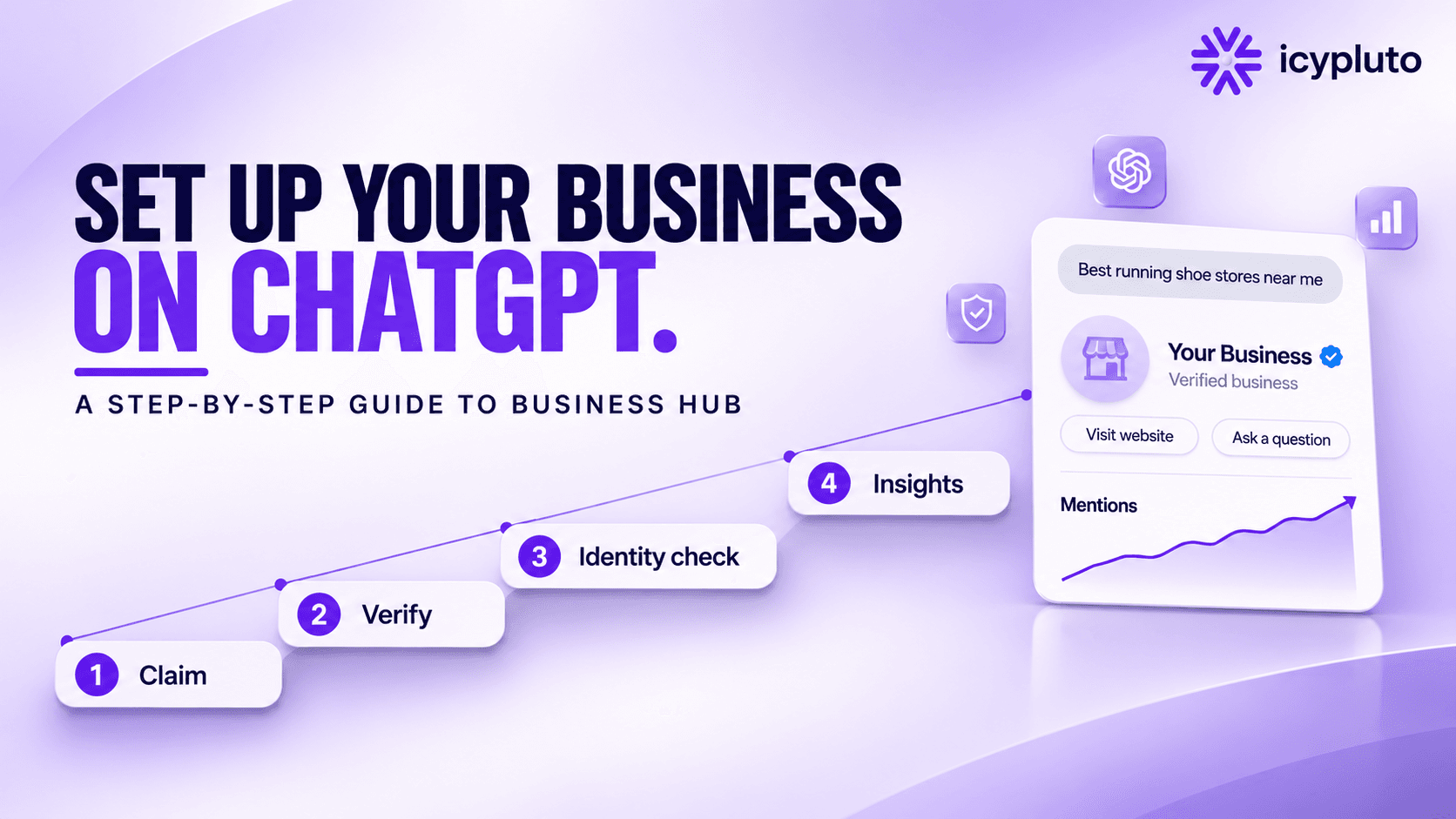
On November 10, 2026, OpenAI launched Businesses in ChatGPT in beta. For the first time, a company can claim its own listing inside ChatGPT, correct the details the assistant shows, and see numbers on how often it gets mentioned and clicked.
OpenAI describes it as "a new way to connect with the 1.2 billion people who use ChatGPT each week" (OpenAI, 2026). The setup happens in a new area called Business Hub.
The process has more steps than most guides suggest. There are two separate approvals, eligibility differs by business type and country, and a few details trip people up on day one. This guide walks through the whole setup, what each step unlocks, and what Business Hub will and will not do for your visibility.
Businesses in ChatGPT is OpenAI's beta program that lets a business claim, verify, and manage how it appears in ChatGPT. It has three parts: a claimed business profile, aggregate Insights about mentions and clicks, and an optional Business Agent that answers customer questions.
Everything is managed from Business Hub, which you can open from the ChatGPT sidebar or at chatgpt.com/business-hub.
One point causes a lot of confusion. Business Hub is not the same thing as the ChatGPT Business plan, which is OpenAI's paid workspace subscription for teams. According to OpenAI's Help Center, as quoted in launch coverage, you do not need an Ads account or a ChatGPT Enterprise agreement to claim an eligible business. A regular ChatGPT login is enough.
Eligibility depends on your business type and location, and the rules are narrower than the launch headlines suggest. Based on OpenAI's announcement and Help Center as reported at launch:
Online businesses with a website: can claim wherever ChatGPT is available and verification is supported.
Local stores and restaurants: can currently claim only an existing U.S. listing.
Business Agents: limited to eligible ecommerce and online service businesses in the United States.
Shopify merchants: can connect their store from Business Hub or from Shopify admin.
OpenAI Enterprise customers and ChatGPT advertisers: claim through their OpenAI representative.
Multi-location brands: each location is claimed separately. Central management is not available yet.
You must be the owner or an authorized representative. OpenAI can decline a business or hold back certain categories, and early testers reported that some service-business options showed as "Coming soon". If you are outside the U.S., the practical test is to open Business Hub and search for your business.
Have five things ready: a company-owned ChatGPT account, access to a verification channel, a government ID, your business registration details, and your brand assets. Gathering them first saves most of the delays people reported in the first few days.
A company-owned ChatGPT account. The profile attaches to the account that claims it, so avoid using a personal or ex-employee login.
Access to your business phone, business email, DNS settings, or Shopify store. You need at least one to prove ownership.
A government-issued photo ID for the person managing the profile. Pick someone who will be with the company long-term, such as a founder or senior leader. The verification is tied to one individual.
Business registration details such as legal name, address, and registration or tax number, matching your official records.
Brand assets: logo, cover photo, a short description, and your delivery and return policies.
Open Business Hub, find your listing, verify ownership, pass identity verification, then complete your profile. There are two approvals in that sequence: OpenAI's review of your claim, and a separate identity check. Most features stay locked until both are done.
Open Business Hub. Sign in to ChatGPT and open Business Hub from the sidebar or at chatgpt.com/business-hub.
Search for your business. Select your listing. If none appears, eligible online businesses may be able to add one. Early users report that their business was often not listed yet, so expect to add it.
Start the claim. Confirm which ChatGPT account will manage the profile.
Verify ownership. Choose one of the methods offered for your business (covered in the next section).
Wait for the claim decision. OpenAI emails an approval or a request for more information. You can cancel a claim while it is under review.
Complete identity verification. This runs through Persona, a third-party identity provider, and may ask for a government ID, business registration information, and proof that you are authorized to act for the business. Early users also report a face verification step after the ID upload.
Fill in your profile. Once approved, work through the "Get started" cards in the Overview tab.
Launch coverage of the Help Center notes that the blue verified check appears only after the identity step is approved, not after the claim itself. Publishing profile edits, connecting a product feed, viewing Insights, and creating an agent all depend on that approval.
Business Hub offers up to four verification methods: business phone, business email, a DNS TXT record, or a Shopify connection. You only see the methods that apply to your listing, so not every business gets all four.
Business phone. A code is sent by text or automated call to the number on your listing. Enter it in Business Hub.
Business email. Select "Get code" and enter the code sent to your business address.
Website domain (DNS). Add the TXT record that ChatGPT gives you at your DNS provider, then select "Verify domain".
Shopify store. Select "Connect Shopify", review the permissions, and log in.
DNS is the method most likely to fail on the first attempt. Three things help:
If your DNS provider adds your root domain automatically, enter only the host portion of the record. Pasting the full host name creates a malformed record.
Do not wrap the value in quotation marks unless your provider requires them.
The record expires. Users on OpenAI's developer forum reported a short verification window that can be shorter than DNS propagation, so lower your TTL before adding the record and generate a fresh record if it lapses.
Fill in every field Business Hub offers: website, description, category, logo, cover photo, and your delivery and return policies. These are the details ChatGPT can draw on when it describes your business.
OpenAI reviews changes before they go live, so edits may take time to appear. ChatGPT may also keep using other sources from across the web, which means your profile is one input rather than the only one.
OpenAI's Businesses in ChatGPT policy requires that the information is truthful and kept current. False claims about prices, availability, qualifications, or results are not allowed, and neither are fabricated reviews.
Upload a product feed file, provide a hosted feed URL, or sync your Shopify catalog. A feed gives ChatGPT current prices and availability, which matters most for ecommerce.
File upload: a feed that follows OpenAI's product feed specification.
Hosted URL: a feed OpenAI can fetch on a schedule.
Shopify: product details, pricing, and availability sync through Shopify's catalog.
Products must follow OpenAI's commerce policies. A feed on its own does not publish an agent and does not guarantee your products will be recommended.
A Business Agent is a labeled chat, separate from ChatGPT's own answers, where customers can ask your business questions. At launch it is available only to eligible ecommerce and online service businesses in the United States, and only after identity verification is approved.
The setup steps reported from OpenAI's Help Center are:
Open your claimed business and open or create the draft agent.
Review the information it will use, such as product details and your return policy.
Write instructions for how it should answer, following OpenAI's Business Agents Policy.
Preview it with a common customer question. OpenAI's own example is "Can I return an item I bought on sale?"
Fix and retest if the answer is wrong.
Publish. Customers can only chat with a published agent.
An agent can also give you more data. Early users report that setting one up adds an Agent Insights area with data on "What Customers Are Looking For".
Agents have clear limits. They explain products and policies and link to your website. They cannot complete purchases, make bookings, or look up orders. Under the Business Agents Policy, an agent must make clear it is an AI representing the business, and it must not invent prices, availability, reviews, or guarantees, create false urgency, or ask for high-risk personal data such as government IDs.
Businesses can also sponsor their agent and use it as a destination for ChatGPT Ads. OpenAI says sponsored placements are labeled and kept separate from ChatGPT's responses.
Insights show aggregate mentions, website clicks, and discovery topics for your business inside ChatGPT. Launch coverage of the Help Center reports that the dashboard covers up to the past 28 days. Many SEOs describe it as ChatGPT's version of Google Search Console, because it is the first official place to see how often the assistant mentions and links to your site.
Mentions. What it counts: for online businesses, the times ChatGPT referenced your website. Your brand name alone does not count. For local businesses, the times a result for your location was shown.
Website clicks. What it counts: recorded clicks on links to your site. The dashboard tooltip reads: "Clicks don't confirm website visits or conversions" (Search Engine Roundtable, 2026).
Discovery topics. What it counts: in OpenAI's words, "common themes across conversations where their website is cited".
There are things you will not see. OpenAI says it does not share people's conversations, including Business Agent chats, with businesses. Metrics appear only after activity passes a privacy threshold, so a blank chart does not necessarily mean zero activity. There is no prompt-level data, no competitor data, and no ranking position. Early users also note there is no page-level data on which content gets cited, no crawl activity, and no view of the searches ChatGPT ran to build its answers.
Hands-on reports so far suggest the data is thin. One early user, an SEO agency, reported that the mentions chart is useful as a trend straight from the source, but that clicks were very low, working out to a rough click-through rate from ChatGPT of about 1.7%. Its top discovery topics were broad categories such as "Business vendors and service comparisons" and "AI models, tools and capabilities", even though its site is almost entirely about SEO and AEO. That is one account's experience, but it shows how general the topics can be.
To measure real traffic, pair Insights with your own analytics. Links from ChatGPT carry utm_source=chatgpt.com, which you can filter in GA4.
No. Claiming a profile gives ChatGPT accurate information about you, but it does not guarantee more mentions or a higher placement. OpenAI's own wording is that claiming does not guarantee higher placement or sales.
OpenAI's VP of monetization, Benji Shomair, told Digiday that claiming should not change how often a business appears, though clearer information could help ChatGPT surface it in more relevant conversations. OpenAI also says advertising does not influence ChatGPT's independent answers.
So the profile handles accuracy. Whether ChatGPT cites you in the first place still depends on your content, your authority, and how widely your brand is mentioned across the web, which is where citation seeding comes in.
Business Hub: a profile for how your company appears inside ChatGPT. ChatGPT Business plan: a paid workspace for your team to use ChatGPT. Google Business Profile: a listing for Google Search and Maps.
Business Hub cost: free at launch, with future charges not ruled out. ChatGPT Business plan: paid per seat. Google Business Profile: free.
Business Hub verification: phone, email, DNS, or Shopify, plus an identity check. Google Business Profile: Google's own verification methods.
Business Hub reporting: mentions, website clicks, and discovery topics in ChatGPT. Google Business Profile: searches, views, calls, and direction requests on Google.
Business Hub local coverage: existing U.S. listings only for now. Google Business Profile: available globally.
You need both listings. Business Hub does not replace Google Business Profile, and the ChatGPT Business plan is unrelated to either.
The most common setup mistakes are claiming with a personal account, stopping after the first approval, and mismatched business details. Others showed up in OpenAI's developer forum within days of launch.
Claiming with a personal account. The profile attaches to the account that claims it. Use a company-owned login.
Stopping after the claim is approved. Identity verification is a second gate. Without it, you cannot publish edits or see Insights.
Mismatched records. If a check fails, make sure your legal name, address, and registration or tax number match your official documents.
Malformed DNS records. Check the host field and regenerate the record if it expires.
Forwarding invitations. Only the admin who claimed the business can add teammates or agencies, and each person uses their own ChatGPT account.
Treating a published profile as reversible. Reports of the Help Center note that support cannot delete, unpublish, or hide a published profile. Only unpublished drafts can be deleted.
Reading clicks as conversions. OpenAI's own tooltip says they are not.
Expecting a ranking boost. The profile corrects information. It does not buy placement.
Business Hub tells you how often ChatGPT mentioned and linked to your business. It does not show which prompts triggered those mentions, how you compare with competitors, or what is happening in other AI engines. IcyPluto covers that side of the work.
Business Hub reports on ChatGPT only. IcyPluto tracks your prompts across ChatGPT, Gemini, and Claude, so you can see where your brand appears and where it is missing in each one.
Discovery topics are broad themes. IcyPluto shows the fan-out queries each engine runs for the prompts you track, which tells you exactly what your pages need to answer.
Business Hub has no competitor data. IcyPluto's AI share of voice reporting shows how often engines mention you compared with the brands you compete against.
IcyPluto's agents research, outline, write, edit, optimize, and fact-check a sourced draft for the sub-queries you are missing. Nothing publishes on its own. Every draft goes to your team for review and approval.
Claimed your profile? Now see which prompts mention you and which ones leave you out. Book a Strategy Call
Sign in to ChatGPT, open Business Hub from the sidebar or at chatgpt.com/business-hub, search for your business, and start a claim. Verify ownership by phone, email, DNS, or Shopify, then complete identity verification and fill in your profile.
Yes, at launch. Claiming a profile, managing it, and publishing an agent are free according to launch reporting, though OpenAI has not ruled out charging later. ChatGPT Ads are a separate paid product.
No. Business Hub is separate from OpenAI's paid plans. You do not need an Ads account or an Enterprise agreement to claim an eligible business.
Online businesses with a website can claim wherever ChatGPT is available and verification is supported. Local stores and restaurants can currently claim only existing U.S. listings, and Business Agents are U.S.-only for now.
OpenAI has not published review times. Launch reports describe the identity step as taking up to a few days, with status updates sent by email.
Open the profile in Business Hub, select the three-dot menu, and choose "Dispute ownership". You will be asked to complete identity verification as part of the dispute.
No. OpenAI says claiming does not guarantee higher placement or sales, and that ads do not influence ChatGPT's independent answers.
No. Insights are aggregate only. You see mentions, clicks, and discovery topics, but not individual prompts or conversations.
Not officially. OpenAI calls it Business Hub. SEOs compare it to Google Search Console because it reports mentions and clicks, but it currently shows far less: no queries, no page-level data, and no crawl information.
No. Agents answer questions about your products and policies and send customers to your website to complete a purchase.
Business Hub is the first official way to manage how your company appears in ChatGPT. The setup takes a claim, an ownership check, and an identity check, and it rewards teams that prepare their documents and DNS access before they start.
Treat it as the foundation. The profile keeps your information accurate, and Insights give you a first look at mentions and clicks. Whether ChatGPT cites you at all still comes down to your content and your presence across the web.
IcyPluto shows the prompts, fan-out queries, and competitor gaps that Business Hub leaves out. To go deeper, read how IcyPluto approaches prompt research, AI visibility measurement, AI share of voice, and citation seeding.
Want to see where ChatGPT mentions your brand and where it doesn't? Book a Strategy Call and we'll walk you through your prompts, your coverage gaps, and the content that would close them.